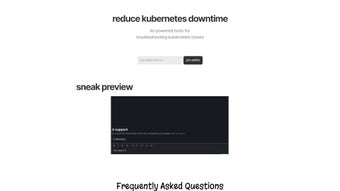

Download KubeHelp – AI‑Powered Kubernetes Management Tool
Overview
KubeHelp is an AI‑driven, browser‑based platform designed to flatten the steep learning curve that often accompanies Kubernetes administration. Whether you are a senior DevOps engineer juggling dozens of clusters or a junior developer who is just learning how pods, services, and deployments interact, KubeHelp provides a single pane of glass where troubleshooting, command discovery, and dynamic scaling become conversational and intuitive. By allowing users to type plain‑English queries such as “Why is my pod crashing?” or “Show me all services in the production namespace,” the tool instantly translates those requests into actionable kubectl commands, detailed step‑by‑step remediation guides, and even suggested scaling actions.
This conversational interface is powered by a continuously trained large language model that stays in sync with the latest Kubernetes releases, ensuring that the advice you receive reflects current best practices. The platform is built with a security‑first mindset. All credentials—whether uploaded kubeconfig files or generated service‑account tokens—are encrypted with AES‑256 at rest and never stored in plaintext.
Role‑based access control (RBAC) is enforced at the tenant level, meaning each user only sees the clusters and namespaces they are authorized to manage. KubeHelp also integrates directly with Slack, bringing diagnostics, command suggestions, and scaling operations straight into the channels where your team already collaborates. This eliminates context‑switching, reduces mean time to resolution (MTTR), and helps teams maintain a tighter feedback loop during incidents.
In addition to real‑time assistance, KubeHelp offers a searchable command library, audit logging for compliance, and a multi‑tenant architecture that supports both cloud‑native (EKS, GKE, AKS) and on‑premises installations. The combination of AI assistance, secure credential handling, and seamless collaboration tools makes KubeHelp a compelling “digital co‑pilot” for any organization looking to modernize its Kubernetes operations while keeping costs predictable and security tight.
Key Features, Installation & Compatibility
Feature Highlights
- AI‑Generated Troubleshooting: Enter an error message or symptom and receive a prioritized, step‑by‑step remediation plan that includes command snippets, log‑tail suggestions, and configuration checks.
- Natural‑Language Command Search: Type a request like “list all pods in namespace dev” and instantly get the exact
kubectlcommand ready to copy or execute via Slack. - Dynamic Cluster Scaling: Adjust replica counts, deployment sizes, or node‑pool capacities from the web UI or Slack bot without leaving your conversation.
- Slack Integration: Receive diagnostics, command recommendations, and scaling actions in any Slack channel, preserving context and accelerating incident response.
- Secure Multi‑Tenant Architecture: Granular RBAC ensures each user only accesses authorized clusters and namespaces; all data is encrypted in transit (TLS 1.3) and at rest.
- Continuous Knowledge‑Base Updates: The AI engine is retrained weekly on new Kubernetes releases, ensuring that suggestions reflect the latest API changes and deprecations.
- Cross‑Platform Browser Access: Compatible with Windows 10/11, macOS Monterey+, major Linux distributions, Android 9+, and iOS 13+—no client‑side installation required.
- Comprehensive Audit Logging: Every suggestion, command copy, and scaling operation is logged with timestamps, user IDs, and cluster details for post‑mortem analysis.
Installation & Quick Setup
Because KubeHelp is delivered as a SaaS web application, there is no traditional software download or installer. To get started, navigate to the official KubeHelp portal, register a free account, and verify your email address. After logging in, you will be guided through a simple two‑step wizard to connect your Kubernetes clusters. The wizard supports two secure connection methods:
- Kubeconfig Upload: Export the
kubeconfigfile from your local machine and upload it via the encrypted UI. The file is stored only for the duration of the session and is encrypted at rest. - API Token Integration: Generate a service‑account token with the minimum RBAC permissions required for the actions you plan to perform, then paste the token into the integration screen. This method is ideal for CI/CD pipelines and automated workflows.
Once your clusters are linked, you can immediately start interacting with the AI chat interface or add the KubeHelp bot to your Slack workspace. The Slack integration requires a one‑time authorization step that grants the bot permission to post in selected channels and read messages that mention it. After that, you can type commands such as @kubehelp scale deployment my‑app 5 and the bot will return the appropriate kubectl command for you to confirm and execute.
Supported Operating Systems
KubeHelp runs entirely in the browser, making it compatible with any modern operating system that supports Chrome, Edge, Firefox, or Safari. Supported platforms include Windows 10/11, macOS Monterey and later, popular Linux distributions (Ubuntu, Fedora, Debian), as well as mobile browsers on Android 9+ and iOS 13+. Because all heavy processing occurs on KubeHelp’s secure cloud backend, your local device only needs a stable internet connection and a supported browser.
Best‑Practice Security Tips
- Grant the minimal RBAC permissions required for each service‑account token.
- Rotate service‑account tokens every 90 days and update the integration in KubeHelp.
- Enable multi‑factor authentication (MFA) on your KubeHelp account.
- Review audit logs weekly to detect any unexpected command usage.
- Use the free tier for evaluation, then consider a paid plan for unlimited cluster connections and priority support.
Pros, Cons, Expert Review & Frequently Asked Questions
What Users Love (Pros)
- AI‑generated troubleshooting cuts MTTR by up to 40 %.
- Natural‑language command search eliminates the need to memorize complex
kubectlsyntax. - Slack integration keeps DevOps conversations in context, improving collaboration speed.
- Zero‑install, browser‑based access works on all major operating systems and devices.
- Secure, encrypted storage of credentials meets stringent compliance standards.
- Continuous AI model updates ensure guidance reflects the latest Kubernetes releases.
Areas for Improvement (Cons)
- Advanced network‑policy or custom‑resource suggestions are currently limited; users must manually craft those commands.
- Free tier restricts the number of simultaneously connected clusters to two.
- Edge‑case errors from brand‑new Kubernetes versions may experience a short lag before AI coverage.
- Large clusters with hundreds of namespaces can introduce slight latency when generating extensive troubleshooting steps.
- Some users request deeper integration with additional chat platforms beyond Slack.
Overall Rating: 4.5 out of 5 stars
KubeHelp excels at making Kubernetes approachable for teams of any skill level. Its AI engine, combined with Slack integration, creates a seamless workflow that cuts down on downtime and manual guesswork. While there is room for deeper feature support—especially around network and security policies—the platform’s core value proposition—fast, secure, and conversational cluster management—delivers tangible ROI for most organizations.
Frequently Asked Questions
Is KubeHelp free to use?
KubeHelp offers a free tier that includes basic troubleshooting, command search, and Slack integration for up to two clusters. Paid plans unlock unlimited cluster connections, advanced AI suggestions, and priority support.
Can KubeHelp execute commands directly on my cluster?
KubeHelp does not automatically execute commands. It provides the exact kubectl syntax which you can copy‑paste into your terminal or trigger via the integrated Slack bot after confirming the action.
How does KubeHelp keep my credentials safe?
All credentials (kubeconfig files or service‑account tokens) are encrypted at rest using AES‑256. Transmission occurs over HTTPS with TLS 1.3, and the platform follows the principle of least privilege by requiring only the permissions you explicitly grant.
Does KubeHelp support multi‑cloud Kubernetes services?
Yes. You can connect clusters from any provider—Amazon EKS, Google GKE, Azure AKS, or on‑premises installations—as long as you supply a valid kubeconfig or token with the appropriate RBAC permissions.
What browsers are recommended for the best experience?
KubeHelp works best on the latest versions of Chrome, Edge, Firefox, and Safari. Mobile browsers on Android and iOS are fully supported, though the UI adapts to a simplified layout for smaller screens.
Conclusion & Call to Action
If you are searching for a secure, AI‑enhanced solution that reduces Kubernetes downtime while empowering both veteran engineers and newcomers, KubeHelp stands out as a compelling choice. Its blend of natural‑language troubleshooting, instant command discovery, and Slack‑centric collaboration creates a unified experience that aligns perfectly with modern DevOps workflows. Start with the free tier to evaluate how quickly you can resolve common pod failures, scaling hiccups, or configuration drifts. As your confidence grows, consider upgrading to unlock unlimited cluster support, deeper AI insights, and priority assistance. Download KubeHelp today, connect your clusters, and let the AI handle the heavy lifting—so you can focus on delivering value, not battling errors.






